Spotify “About Me” Feature Case Study
Background
This project was conducted through UCLA Creative Labs in collaboration with the start-up company TTYL Inc, a venture-backed social media startup based in Marina Del Rey, CA. As one of the project leads I was able to oversee a Spotify product design case study under the guidance of Alex Ma, TTYL’s CEO.
Ideation Process
Our first step was to define the problems we were trying to solve. To do this, each member generated problem statements in the form of "How might we..." statements. Here are some examples that were generated:
How might we make initiating conversations easier through music?
How might we help a guy express his love for his girlfriend with music?
How might we celebrate certain events in our lives with others through music?
The majority of our problem statements were centered around relationship-building and socialization. However, Alex warned us that Spotify's lack of social features was deliberate in order to focus on the main purpose of serving as a music database.
We took this under consideration and shifted our focus from making Spotify a social media platform to allowing users to express themselves through music through an added “About Me” page on user profiles. This would allow users to showcase their favorite songs, artists and their personalities through music.
A UX Challenge We Faced
In our initial design plan, we designed a way to showcase users’ top listened-to genres. However, my co-lead and I soon realized that there was a gray area between listing a user's top genres and a playlist.
We realized that most users already use playlists to organize their songs by "mood,” "vibe" or genre. Additionally, as most playlists are already public, allowing users to showcase their top genres on the “About Me” page was redundant.
After explaining our thought process to our team, we decided to scrap this idea.
Final Design
The final User Interface design was created through Figma.
We focused on 3 key elements:
My Picks - This feature allows users to display their current favorite song, artist and a song that answers a music-related prompt. Users can also edit the underlying text to expand on their choices.
Memories - This feature allows users to associate a specific song with a special moment in their lives.
Q&A - This feature provides a variety of music-related questions that users can upload a song and written response to.
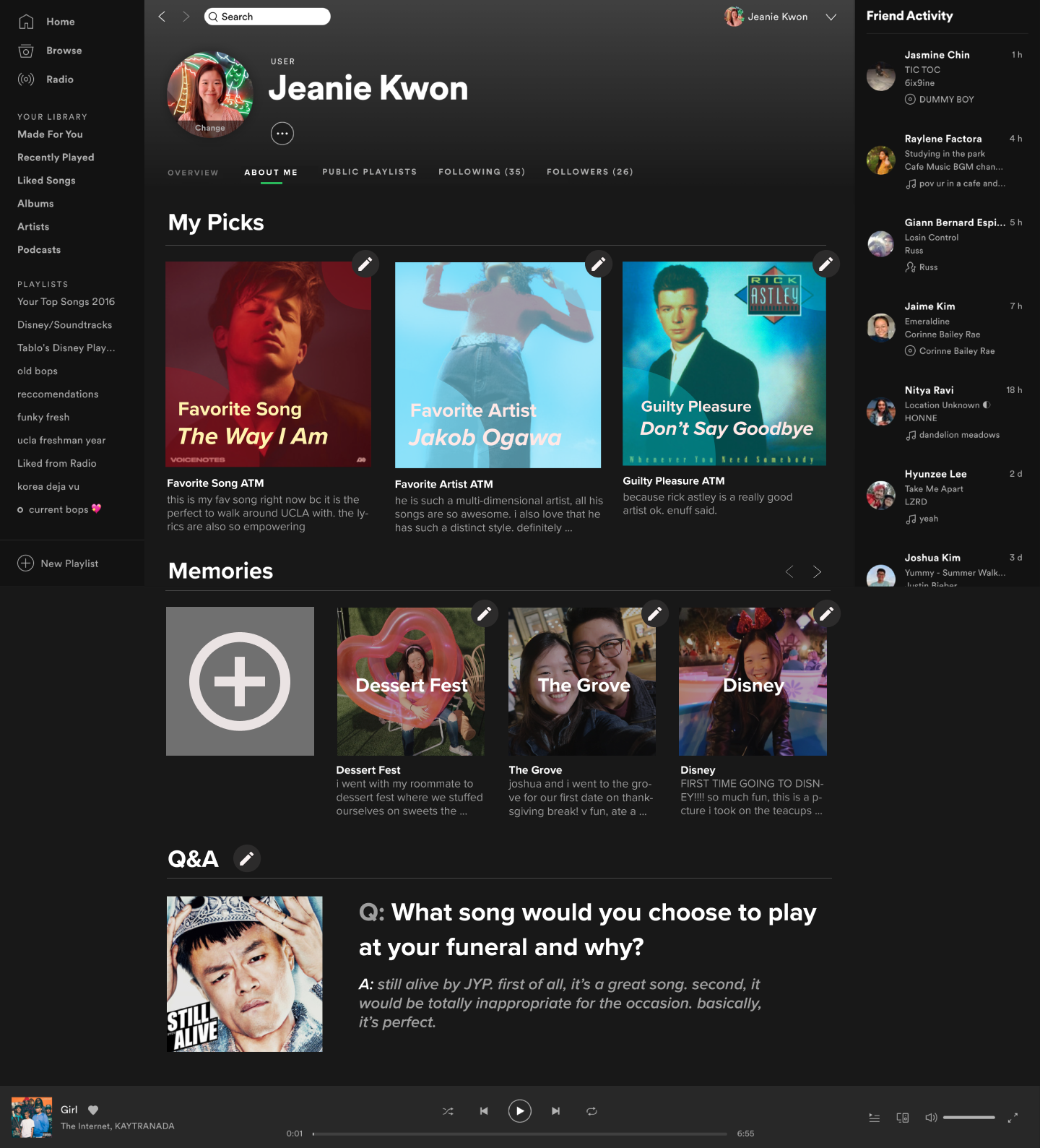
Overview Page

“My Picks” Edit Page #1
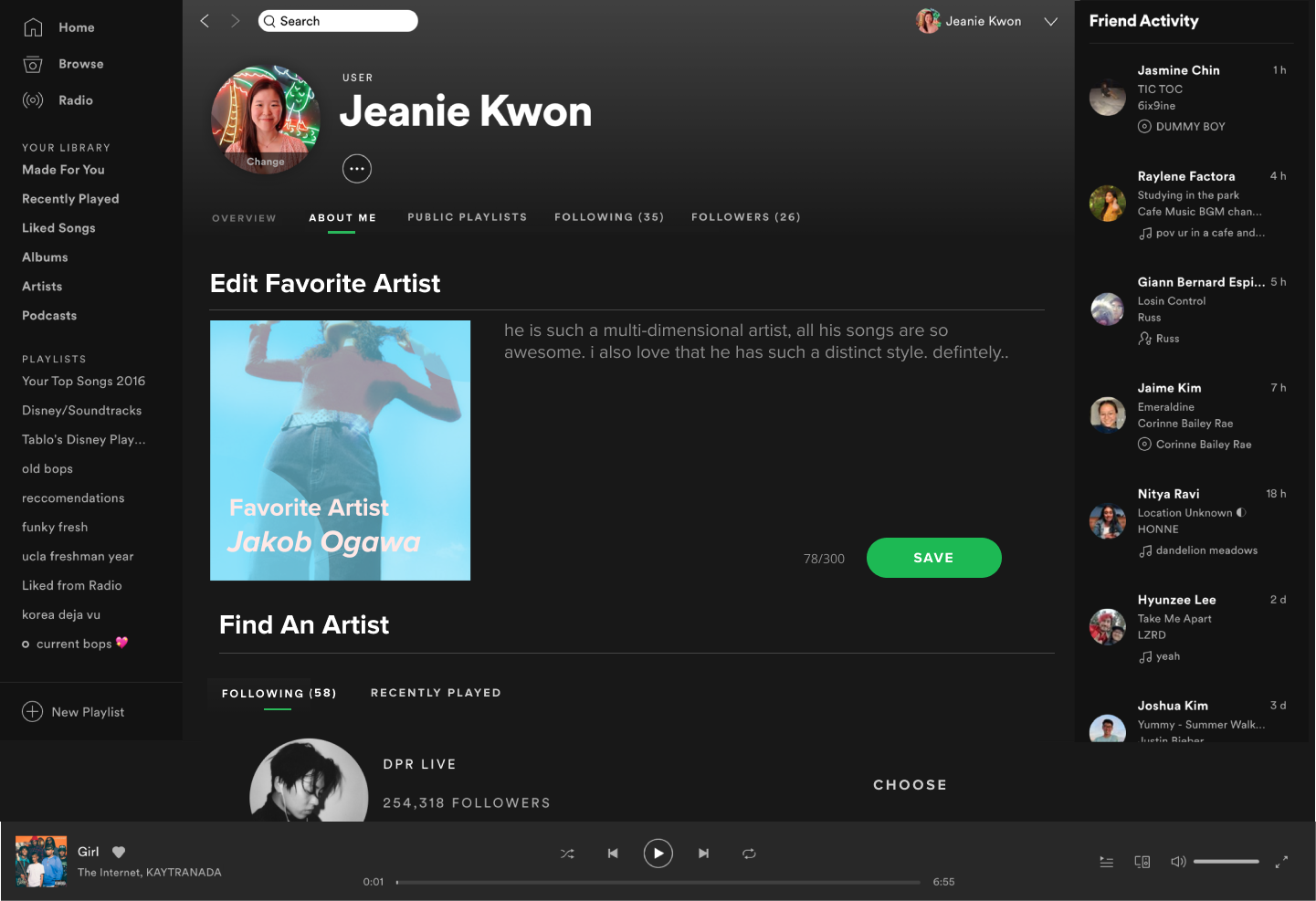
“My Picks” Edit Page #2
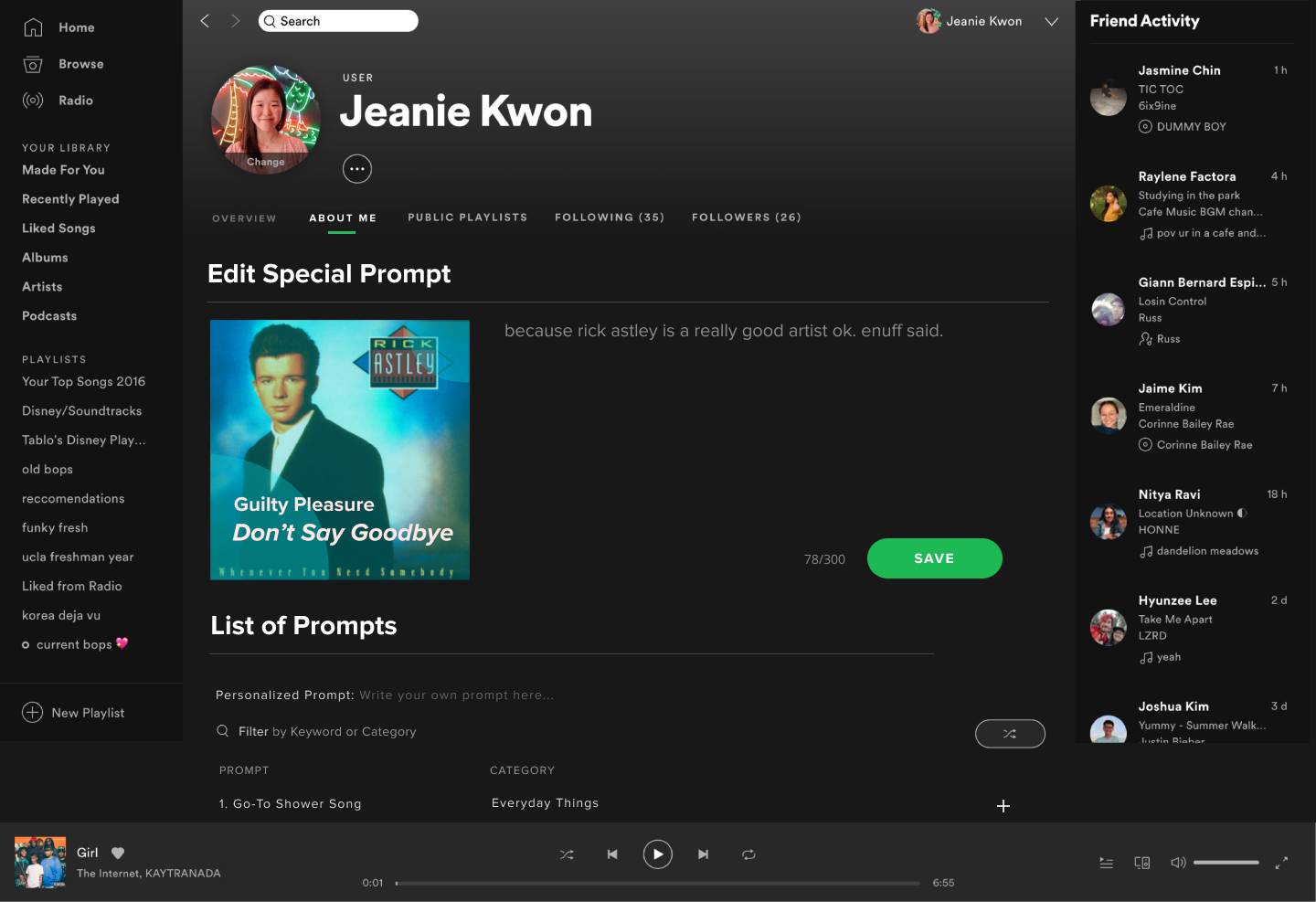
“My Picks” Edit Page #3
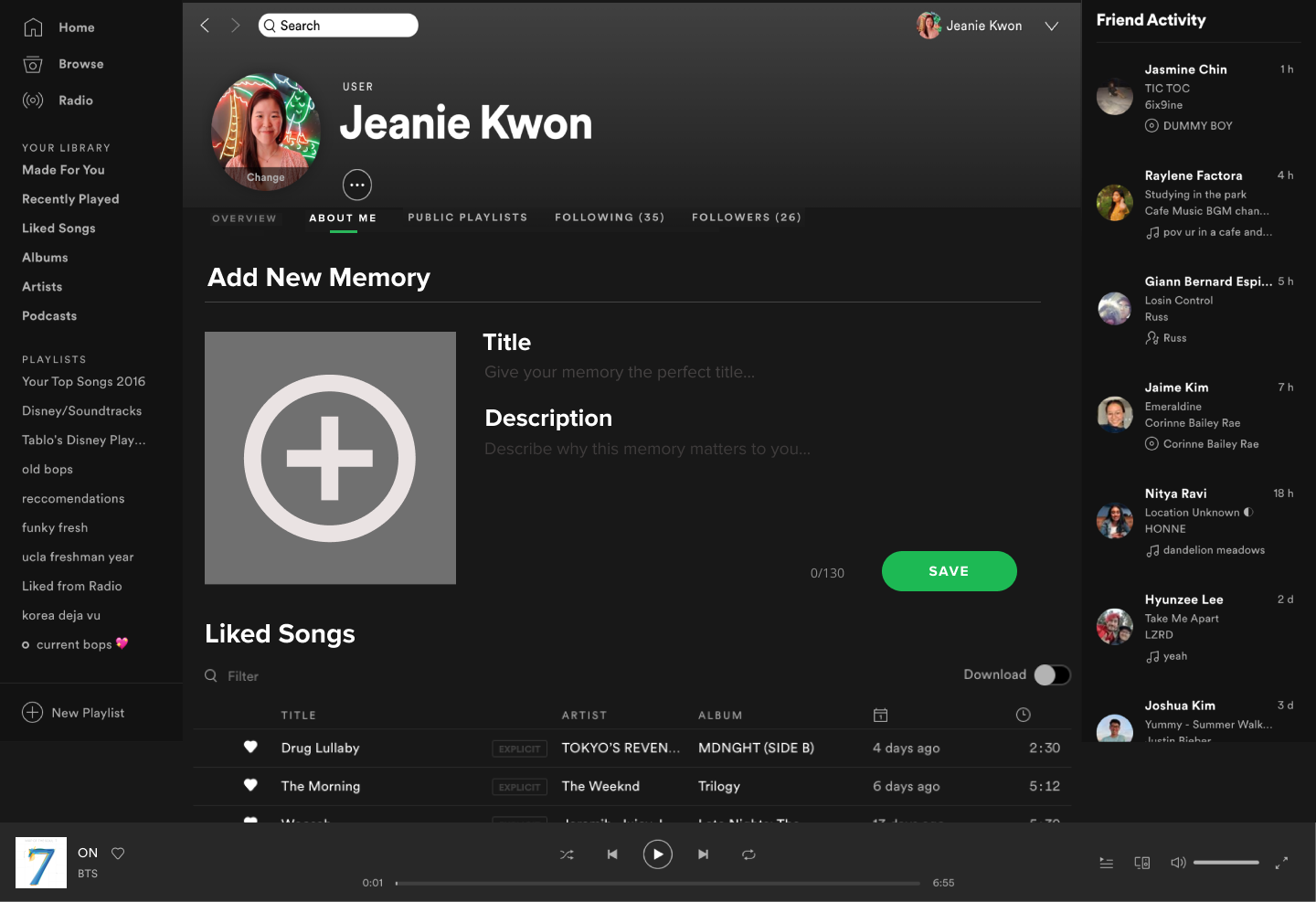
“Memories” Edit Page #1

“Memories” Edit Page #2

“Memories” Page

“Q&A” Edit Page - The shuffle button allows for users to randomly generate a new question.

“Q&A” Edit Page #2 - This is how to select a new song.
Closing Thoughts
As a beginner User Interface design project, this opportunity allowed members to gain hands-on experience with product design (through a quarter-long crash course). I definitely learned a lot about an entirely different aspect of design geared more towards the tech industry.